


WMS Pros and Cons: Is a Warehouse Management System Worth It?
Explore the key advantages and disadvantages of WMS (Warehouse Management System) to decide if warehouse automation is right for your business.
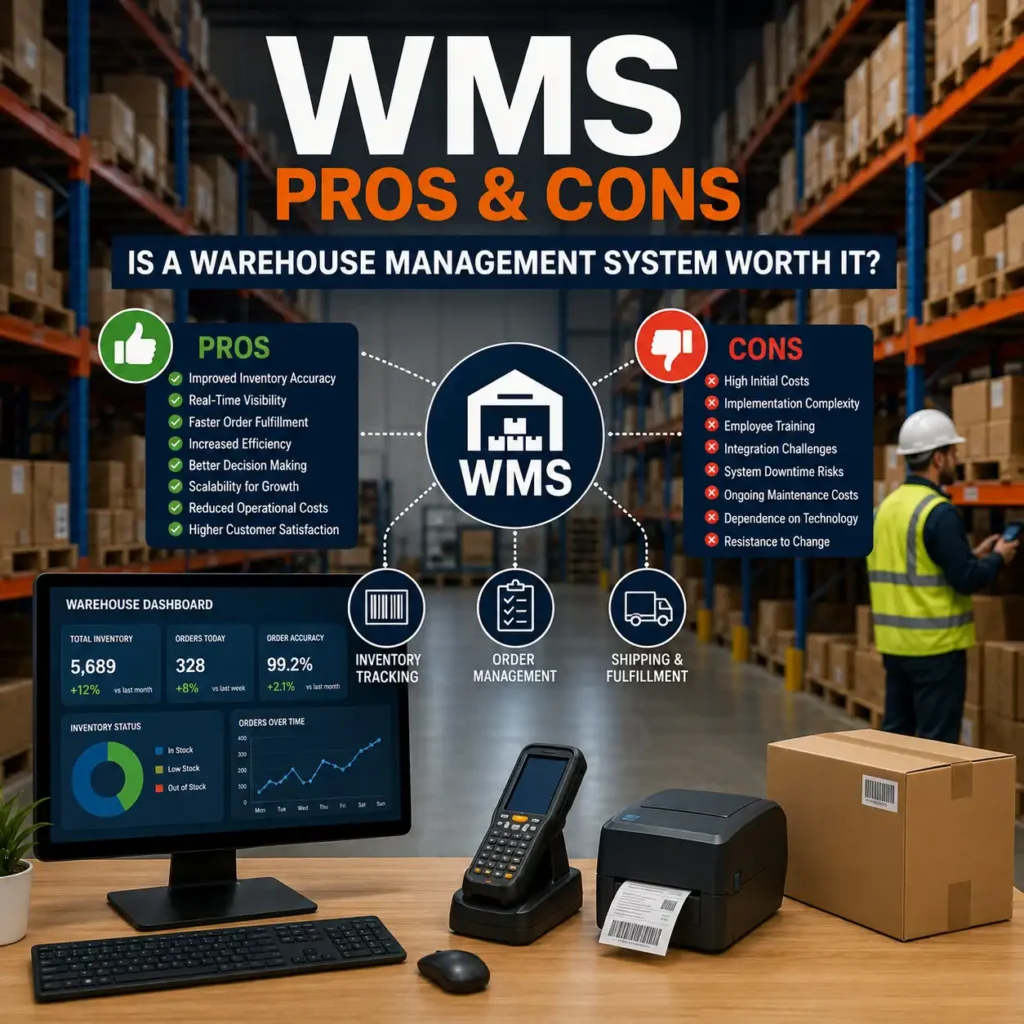
Running a warehouse without the right technology is a bit like driving at night with no headlights. You might get where you’re going, but you’ll hit a lot of obstacles along the way — misplaced inventory, delayed shipments, frustrated customers, and rising costs that eat into your margins. This is exactly the problem a Warehouse Management System (WMS) is designed to solve.
A Warehouse Management System is software built to oversee and optimize day-to-day warehouse operations, from the moment goods arrive at the loading dock to the moment they leave for delivery. Over the past decade, the adoption of warehouse management software has surged as e-commerce, omnichannel retail, and same-day delivery expectations have pushed logistics operations to their limits.
But like any major technology investment, a WMS isn’t a magic fix. It comes with real benefits — and real challenges. Business owners, warehouse managers, and supply chain professionals need to weigh both sides carefully before committing budget and resources to an implementation.
This article takes an in-depth, balanced look at the advantages and disadvantages of WMS, helping you understand whether warehouse automation technology is the right move for your operation.
What is a Warehouse Management System (WMS)?
A Warehouse Management System (WMS) is a software platform that manages and controls the daily operations within a warehouse or distribution center. It’s the digital brain behind inventory tracking, stock placement, order picking, packing, and shipping.
Instead of relying on spreadsheets, paper records, or guesswork, a WMS gives warehouse managers a centralized, real-time view of everything happening on the floor. This includes:
- What inventory is on hand
- Where each item is stored
- Which orders are pending
- How efficiently staff and equipment are performing
Modern WMS software often integrates with broader supply chain management systems, including Enterprise Resource Planning (ERP) and Transportation Management Systems (TMS), creating a connected digital ecosystem across the entire supply chain.
In short, a WMS turns a warehouse from a reactive, manual operation into a proactive, data-driven one.
How Does a WMS Work?
At its core, a WMS works by digitizing and automating processes that were once handled manually or with disconnected tools. Here’s a simplified breakdown of how it functions:
01
Receiving
When goods arrive, the WMS records quantities, batch numbers, and other attributes, often using barcode or RFID scanning.
02
Putaway
The system determines the optimal storage location for each item based on warehouse layout, demand patterns, and storage rules.
03
Inventory Tracking
As items move through the warehouse, the WMS continuously updates inventory tracking records, ensuring real-time inventory visibility.
04
Order Picking
When an order comes in, the WMS generates the most efficient pick path for warehouse staff, minimizing travel time.
05
Packing and Shipping
The system verifies orders, generates shipping labels, and confirms shipment details.
06
Reporting and Analytics
Throughout the process, the WMS collects data that managers can use for forecasting, performance reviews, and compliance reporting.
In automated facilities, the WMS may also coordinate directly with robotics, conveyor systems, and a Warehouse Control System (WCS) to manage automatic material handling equipment.
Key Features of a Warehouse Management System
While features vary by vendor, most modern warehouse management software includes:
■
Inventory Management
Real-time stock control and tracking across multiple locations.
■
Order Management
Streamlined order fulfillment from order entry to shipment.
■
Labor Management Tools
Task assignment, productivity tracking, and performance benchmarking.
■
Slotting Optimization
Smart placement of goods to reduce travel time and improve picking efficiency.
■
Barcode/RFID Integration
Accurate, fast scanning for receiving, putaway, and shipping.
■
Reporting and Analytics Dashboards
Visual insights into warehouse efficiency and KPIs.
■
System Integrations
Connectivity with ERP, TMS, and e-commerce platforms.
■
Mobile Accessibility
On-the-go access for floor staff and managers via handheld devices.
These features work together to support smarter, faster, and more accurate warehouse operations.
Advantages of WMS
Let’s dive into the core WMS benefits that make this software a worthwhile investment for many businesses.

Improved Inventory Accuracy
Manual inventory tracking is prone to human error — miscounts, misplaced items, and outdated records are common pain points. A WMS dramatically improves inventory accuracy by automating data capture through barcode scanning or RFID technology. This reduces discrepancies between recorded and actual stock levels, minimizing costly issues like stockouts and overstocking.

Enhanced Warehouse Efficiency
By optimizing storage layouts, pick paths, and task assignments, a WMS significantly boosts warehouse efficiency. Workers spend less time searching for items or navigating inefficient routes, which translates directly into higher throughput and lower labor costs.

Better Order Fulfillment
Speed and accuracy in order fulfillment are critical in today’s fast-paced retail environment. A WMS helps ensure the right products are picked, packed, and shipped correctly and on time — a key factor in meeting customer expectations for quick, error-free delivery.

Real-Time Inventory Visibility
One of the most valued WMS advantages is real-time inventory visibility. Managers can see exactly what’s in stock, where it’s located, and how it’s moving — at any given moment. This level of transparency supports better planning and faster decision-making across the supply chain.

Reduced Operational Costs
While there’s an upfront investment, a WMS often leads to long-term cost savings. Improved efficiency, reduced errors, and optimized labor allocation all contribute to lower operational expenses over time.

Improved Labor Management
A WMS doesn’t just track inventory — it also helps manage warehouse staff. Through performance tracking and task optimization, managers can identify productivity bottlenecks, set realistic benchmarks, and allocate labor more effectively.

Better Customer Satisfaction
Accurate, fast order fulfillment naturally leads to happier customers. Fewer shipping errors, quicker turnaround times, and better order tracking all contribute to a stronger customer experience — which can translate into repeat business and brand loyalty.

Data-Driven Decision Making
A WMS generates a wealth of data on warehouse operations — from picking times to inventory turnover rates. This data empowers managers to make informed, strategic decisions rather than relying on intuition or outdated reports.

Scalability for Business Growth
As your business grows, a WMS can scale alongside it. Whether you’re adding new SKUs, expanding to multiple warehouses, or increasing order volume, a robust WMS can adapt to support continued growth without a complete operational overhaul.

Compliance and Reporting Benefits
Many industries — particularly food, pharmaceuticals, and chemicals — have strict regulatory requirements around storage, handling, and traceability. A WMS simplifies compliance by automatically logging batch numbers, expiration dates, and audit trails, making reporting far less burdensome.
Disadvantages of WMS
Despite these compelling benefits, it’s important to understand the WMS challenges that come with implementation. No technology is without trade-offs.

High Initial Implementation Costs
One of the most significant disadvantages of WMS is the upfront cost. Beyond the software license or subscription, businesses often need to invest in hardware (scanners, mobile devices), infrastructure upgrades, and professional implementation services. For small businesses, this can be a substantial financial commitment.
Employee Training Requirements
Transitioning to a new system requires time and effort to train staff. Employees accustomed to manual or legacy processes may need extensive onboarding to use the new warehouse software effectively, which can temporarily slow down operations.
Integration Challenges
Connecting a WMS with existing systems — such as ERP, accounting software, or e-commerce platforms — isn’t always seamless. Integration challenges can arise due to incompatible data formats, outdated legacy systems, or insufficient technical support, leading to delays and added costs.
System Downtime Risks
Like any software, a WMS isn’t immune to technical glitches, server outages, or connectivity issues. Downtime can disrupt warehouse operations entirely, especially in highly automated facilities where the WMS controls physical equipment.
Dependence on Technology
While automation brings efficiency, it also creates dependence on technology. If the system fails or experiences errors, warehouse staff may struggle to fall back on manual processes, especially if those processes have been phased out entirely.
Maintenance and Upgrade Costs
A WMS isn’t a one-time purchase — it requires ongoing maintenance, software updates, and occasional hardware replacements. These recurring costs should be factored into the total cost of ownership when evaluating a WMS.
Resistance to Change
Employees and even management may resist adopting new technology, particularly if they’re comfortable with existing workflows. Overcoming this resistance requires clear communication, proper training, and demonstrating the tangible benefits of WMS benefits early in the transition.
Data Security Concerns
As warehouse operations become more digitized, they also become more vulnerable to cybersecurity threats. Protecting sensitive inventory, customer, and operational data requires robust security measures, which adds another layer of complexity and cost.
WMS Advantages vs Disadvantages: Comparison Table
Aspect
Advantages
Disadvantages
Cost
Long-term operational savings
High upfront implementation costs
Accuracy
Improved inventory accuracy
Initial data migration errors possible
Efficiency
Enhanced warehouse efficiency
Learning curve slows early operations
Visibility
Real-time inventory visibility
Dependence on consistent connectivity
Staffing
Better labor management
Training time and resistance to change
Growth
Scalable for business expansion
Integration challenges with legacy systems
Risk
Better compliance and reporting
System downtime risks
Technology
Data-driven decision making
Maintenance and upgrade costs
This side-by-side comparison highlights why a careful, informed evaluation is essential before adopting a WMS.
Industries That Benefit Most from WMS
While nearly any business with inventory can benefit from warehouse management software, certain industries see particularly strong returns:
✓ E-commerce and Retail – High order volumes and customer expectations for fast shipping make real-time inventory management essential.
Is a Warehouse Management System Worth It?
The answer depends largely on your business size, order volume, and growth trajectory. For small operations with limited SKUs and low order volume, a basic inventory management software solution might suffice. However, as complexity grows — more SKUs, multiple warehouse locations, higher order volumes — the advantages of WMS tend to outweigh the disadvantages significantly.
Consider these questions when evaluating fit:
- Are you experiencing frequent stock discrepancies or fulfillment errors?
- Is your team spending excessive time on manual inventory tasks?
- Are you planning to scale operations or expand into new markets?
- Do you need better visibility into warehouse performance and supply chain management?
If you answered yes to several of these, a WMS is likely a worthwhile investment despite the initial costs and learning curve.
Best Practices for Successful WMS Implementation
To maximize WMS benefits and minimize disruption, consider these best practices
01
Define Clear Goals
Identify specific pain points you want the WMS to solve, whether it’s order fulfillment speed, inventory accuracy, or labor management.
02
Choose the Right Vendor
Evaluate WMS software providers based on scalability, integration capabilities, and customer support.
03
Plan for Integration Early
Map out how the WMS will connect with existing ERP, accounting, or e-commerce systems before implementation begins.
04
Invest in Training
Allocate sufficient time and resources for employee training to reduce resistance and errors.
05
Start with a Pilot Phase
If possible, roll out the system in phases or within a single warehouse zone before a full-scale deployment.
06
Monitor Performance Metrics
Track KPIs like order accuracy, pick times, and inventory turnover to measure ROI.
07
Maintain Ongoing Support
Establish a plan for regular maintenance, updates, and technical support to avoid prolonged downtime.
Frequently Asked Questions (FAQs)
The main WMS benefits include improved inventory accuracy, enhanced warehouse efficiency, real-time inventory visibility, better order fulfillment, and reduced operational costs over time.
Common WMS challenges include high initial implementation costs, employee training requirements, integration difficulties with existing systems, and ongoing maintenance expenses.
Yes, though smaller businesses should evaluate cost-effective, scalable warehouse software options that match their order volume and budget rather than enterprise-level systems.
Costs vary widely based on features, deployment type (cloud vs. on-premise), and business size — ranging from a few hundred dollars per month for basic systems to six-figure investments for large-scale, customized solutions.
Yes, most modern WMS platforms are designed to integrate with ERP, TMS, and e-commerce systems to create a connected supply chain management ecosystem.
A WMS improves inventory management through real-time tracking, automated data capture, and accurate stock-level monitoring, reducing errors like overstocking or stockouts.
Industries including e-commerce, retail, manufacturing, food and beverage, pharmaceuticals, and third-party logistics (3PL) commonly use warehouse management software.
Inventory management software typically focuses on stock tracking, while a WMS offers broader functionality, including order picking, labor management, slotting, and warehouse automation.
Implementation timelines vary based on complexity, ranging from a few weeks for basic cloud-based systems to several months for large, customized enterprise solutions.
Many WMS platforms work with barcode scanners, RFID readers, and mobile devices, though some basic systems can operate with minimal hardware requirements.
Conclusion
A Warehouse Management System offers substantial benefits — improved inventory accuracy, enhanced warehouse efficiency, real-time inventory visibility, and better order fulfillment, among others. These advantages can transform how a business operates, leading to cost savings, scalability, and stronger customer satisfaction.
At the same time, the disadvantages of WMS — high implementation costs, training requirements, integration challenges, and ongoing maintenance — are real considerations that shouldn’t be overlooked.
Ultimately, the decision to adopt a WMS should be based on a clear-eyed assessment of your business’s specific needs, growth plans, and operational pain points. For growing businesses dealing with increasing order volumes and inventory complexity, the long-term benefits of WMS typically outweigh the short-term challenges. For very small operations, a simpler inventory management software solution may be a more practical starting point.
Whichever path you choose, the key is making an informed decision based on your unique warehouse operations and supply chain management goals.